 eduzyeduzy
Intermediate
29 Lessons
8h 51m of video
1 Students
Certificate of Completion
You already know how to use Excel but still spend a lot of time connecting data, checking errors, summarizing reports, and finding insights from thousands of rows of data?
Excel Business Analytics is designed to help you take one step further: not just “doing Excel,” but knowing how to turn data into answers to business questions. The course follows a real-world workflow CLEAN → LOOKUP → PIVOT → ANALYSIS, focusing on enterprise problems and output deliverables that can be applied directly to work.
⏱️ With a duration of about 9 hours, the course is suitable for people who already have basic Excel knowledge and want to upgrade their ability to summarize, analyze, and report data more systematically.
After the course, you will not only know how to use the tool but also understand why data needs to be processed step by step. You can connect multiple data tables with XLOOKUP, check errors that affect analysis results, build multi-dimensional PivotTable, use Slicer, PivotChart, identify Top/Bottom, and write an Analysis Summary backed by figures.
More importantly, you will develop the mindset to turn manager questions such as “Which region is selling well?”, “Which month has declining revenue?”, “Which product contributes the most?” into verifiable metrics and data perspectives.
#N/A errors.Quantity = 0 but Revenue > 0, delivery date before order date, or negative revenue. At the end of this section, you will know how to create a Data Quality Flag to distinguish errors that can be handled automatically from errors that require manual review.The course uses a Sales Transactions set of about 1,000–3,000 rows, combined with Product Master and Employee Master. The data has many pre-built errors so learners must actually check, process, and verify the data rather than just follow sample steps.
You will progressively build a complete Analysis Workbook, from raw data to connected data, analysis-ready data, Pivot Analysis, and finally an Analysis Summary.
At the end of the course, you will take on the role of a Business Analyst supporting the Sales department.
The initial transaction data has only Product ID and Employee ID, while descriptive information is stored in separate Master tables. Your task is to connect data with XLOOKUP, check data quality, build PivotTable across multiple dimensions, identify Top 5 products, Top 5 employees, regions with high Return Rate, and write a 5–7 line Analysis Summary based only on what the data actually proves.
This is exactly how data is handled in real work: not stopping at creating beautiful tables, but being able to answer business questions.
The course does not focus on memorizing buttons or “dragging and dropping PivotTable”. Every analysis exercise begins with a business question: WHAT – WHERE – WHEN – WHO, then selects the appropriate data, metrics, and analysis method. At the same time, learners must always include a Verify step – checking totals before and after processing, which helps limit beautiful reports with incorrect numbers.
The course is suitable for office staff, sales, accounting, HR, operations, managers, and anyone who regularly has to consolidate data from multiple Excel tables. Learners should already know Excel Table, Sort/Filter, and basic conditional functions, or have completed an equivalent foundational Excel course.
From a raw data file, you will know how to:
🔗 CONNECT data → 🧹 CLEAN data → 📊 PIVOT data → 🔍 ANALYZE data → 💡 deliver evidence-based INSIGHT.
This is the foundation for you to continue to Excel Dashboard & Reporting, where analysis results are turned into dashboards and visual management reports.
🔥 Excel Business Analytics – Not just knowing Excel. Learn how to make data answer business questions.
You can further develop the course content in these directions
4 chapters
29 lessons
8h 51m of video
1 Students
24/7 mentor support
Certificate of completion
Learn on any device
1,000,000 VND
499,000 VND
/ 1 months
4 Chapter · 29 Lessons · 8h 51m of video · 29 practice quizzes
7 Lessons • 1 hr 54 min
1.1. Identify the data connection problem from multiple tables
Preview13:451.2. Practice checking Key/ID before lookup
Preview15:461.3. Practice XLOOKUP from basic to real-world problems
Preview13:521.4. Detect wrong codes, duplicate codes, and verify Lookup results
Preview18:261.5. Practice connecting Product Master and Employee Master
Preview23:441.6. Read VLOOKUP in old files and data completion challenge
27:52Capstone Module 1
7 Lessons • 2 hr 16 min
2.1. Identify Data Errors Before Analysis
2.2. Practice Detecting Duplicate and Missing Data
23:502.3. Check Data Types and Standardize Naming Conventions
29:202.4. Practice Validating ID with Master Data
14:132.5. Detect Outlier and Check Business Logic
34:122.6. Create Data Quality Flag and Finalize Analysis-Ready Data
35:24Capstone Module 2
9 Lessons • 2 hr 7 min
3.1. Turn Business Questions into PivotTable Problems
9:423.2. Practice Rows, Columns, Values and Filters
9:253.3. Practice Sum, Count and Average Based on Business Questions
9:133.4. Analyze Revenue by Month and Quarter with Group Date
13:473.5. Find Top/Bottom with Sort and Top N
15:493.6. Analyze Revenue Share with % of Total
10:563.7. Refresh PivotTable and Check Blank Data
19:443.8. Practice Slicer, PivotChart and Comprehensive Analysis
37:34Capstone Module 3
6 Lessons • 2 hr 34 min
4.1. From PivotTable to business answers
22:264.2. Period comparison and tracing group contributions to fluctuations
22:174.3. Top/Bottom analysis to find highlights and anomalies
15:594.4. Distinguish Fact and Hypothesis from data
41:304.5. Write Analysis Summary and complete the analysis challenge
48:17End-of-Course Capstone
4:230 Rating and review
No comment
 gold
gold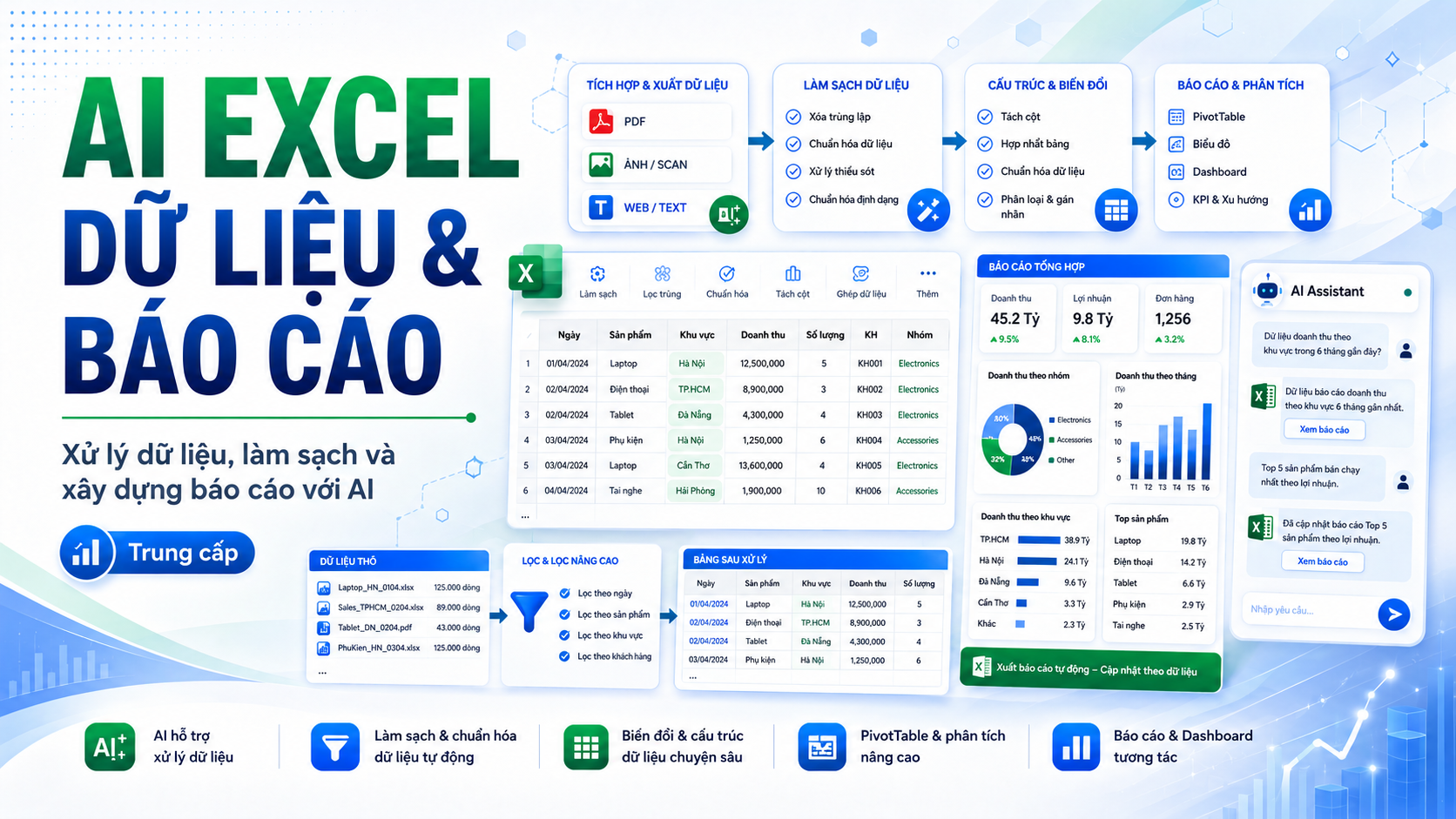
AI xử lý dữ liệu và báo cáo Excel
📊 AI EXCEL DATA & REPORTING Xử lý dữ liệu, làm sạch và xây dựng báo cáo với AI Bạn đã biết sử dụng Excel cơ bản và có...You already know how to use Excel but still spend a lot of time connecting data, checking errors, summarizing reports, and finding insights from thousands of rows of data?
Excel Business Analytics is designed to help you take one step further: not just “doing Excel,” but knowing how to turn data into answers to business questions. The course follows a real-world workflow CLEAN → LOOKUP → PIVOT → ANALYSIS, focusing on enterprise problems and output deliverables that can be applied directly to work.
⏱️ With a duration of about 9 hours, the course is suitable for people who already have basic Excel knowledge and want to upgrade their ability to summarize, analyze, and report data more systematically.
After the course, you will not only know how to use the tool but also understand why data needs to be processed step by step. You can connect multiple data tables with XLOOKUP, check errors that affect analysis results, build multi-dimensional PivotTable, use Slicer, PivotChart, identify Top/Bottom, and write an Analysis Summary backed by figures.
More importantly, you will develop the mindset to turn manager questions such as “Which region is selling well?”, “Which month has declining revenue?”, “Which product contributes the most?” into verifiable metrics and data perspectives.
#N/A errors.Quantity = 0 but Revenue > 0, delivery date before order date, or negative revenue. At the end of this section, you will know how to create a Data Quality Flag to distinguish errors that can be handled automatically from errors that require manual review.The course uses a Sales Transactions set of about 1,000–3,000 rows, combined with Product Master and Employee Master. The data has many pre-built errors so learners must actually check, process, and verify the data rather than just follow sample steps.
You will progressively build a complete Analysis Workbook, from raw data to connected data, analysis-ready data, Pivot Analysis, and finally an Analysis Summary.
At the end of the course, you will take on the role of a Business Analyst supporting the Sales department.
The initial transaction data has only Product ID and Employee ID, while descriptive information is stored in separate Master tables. Your task is to connect data with XLOOKUP, check data quality, build PivotTable across multiple dimensions, identify Top 5 products, Top 5 employees, regions with high Return Rate, and write a 5–7 line Analysis Summary based only on what the data actually proves.
This is exactly how data is handled in real work: not stopping at creating beautiful tables, but being able to answer business questions.
The course does not focus on memorizing buttons or “dragging and dropping PivotTable”. Every analysis exercise begins with a business question: WHAT – WHERE – WHEN – WHO, then selects the appropriate data, metrics, and analysis method. At the same time, learners must always include a Verify step – checking totals before and after processing, which helps limit beautiful reports with incorrect numbers.
The course is suitable for office staff, sales, accounting, HR, operations, managers, and anyone who regularly has to consolidate data from multiple Excel tables. Learners should already know Excel Table, Sort/Filter, and basic conditional functions, or have completed an equivalent foundational Excel course.
From a raw data file, you will know how to:
🔗 CONNECT data → 🧹 CLEAN data → 📊 PIVOT data → 🔍 ANALYZE data → 💡 deliver evidence-based INSIGHT.
This is the foundation for you to continue to Excel Dashboard & Reporting, where analysis results are turned into dashboards and visual management reports.
🔥 Excel Business Analytics – Not just knowing Excel. Learn how to make data answer business questions.
You can further develop the course content in these directions
Course Content
0/29 lessons done
0 Rating and review
No comment
goldAI xử lý dữ liệu và báo cáo Excel
📊 AI EXCEL DATA & REPORTING Xử lý dữ liệu, làm sạch và xây dựng báo cáo với AI Bạn đã biết sử dụng Excel cơ bản và có...1.000.000 VND
499.000 VND
8h 51m of video
26 video lectures
4 Chapter
29 Lessons
29 practice quizzes
66 reading resources
Mock interview included
4 capstone project
1 Students
24/7 mentor support
Certificate of completion
Learn on any device